Hack Club Auth Setup Guide
Step 1: Create Your Account
- Go to auth.hackclub.com
- Enter your email address in the textbox
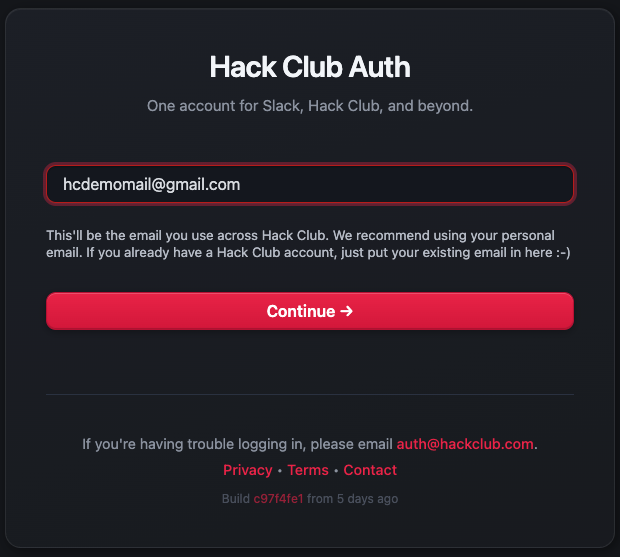
Note: Use an email you can access, as you'll receive an authentication code via email.
Step 2: Personal Information
- Fill in your personal information accurately and press Continue
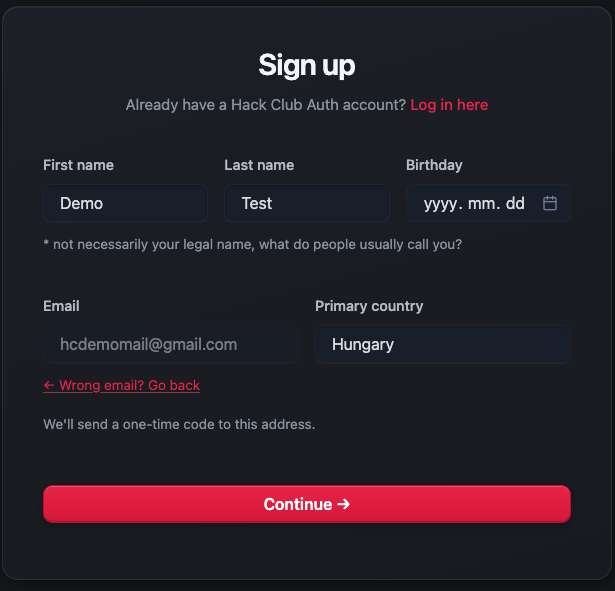
IMPORTANT: Use your real information, as it will be needed for ID verification.
Step 3: Email Verification
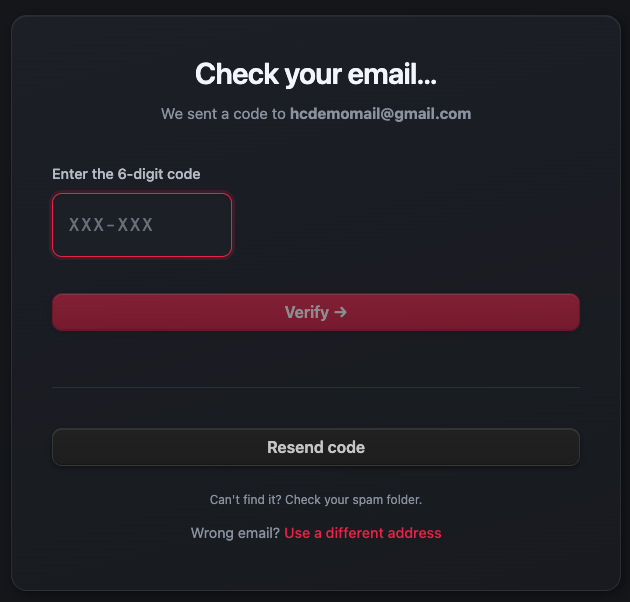
- Check your email for the verification code from Hack Club
- Paste the code into the textbox on the website and press Verify
Step 4: Join Slack
- You'll be redirected to the Hack Club Slack page
- Click I Agree to accept the terms
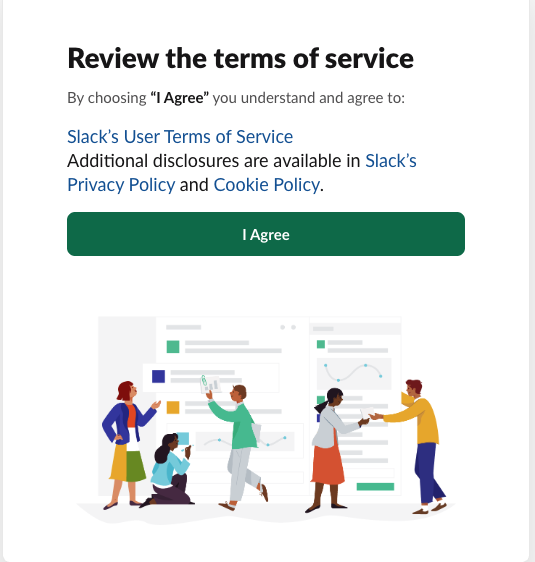
Congratulations! You now have both a Hack Club Auth account and a Slack profile.
Step 5: Welcome Messages
- You'll receive a DM from Ralsei in Slack
- Read the message and click the green okay! button
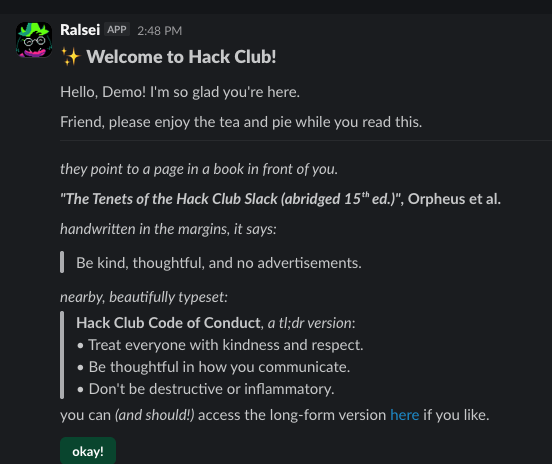
- Click hack yeah! to continue
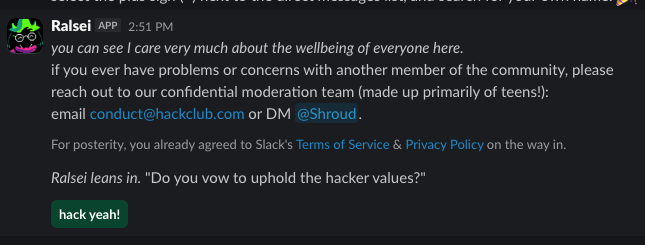
- You'll be prompted to reload the page
Welcome to the community! You're now officially a member of Hack Club.
Step 6: Complete Your Profile
- Go back to auth.hackclub.com
- You'll see three steps at the top of the page that need to be completed
- Complete all three steps to verify your profile
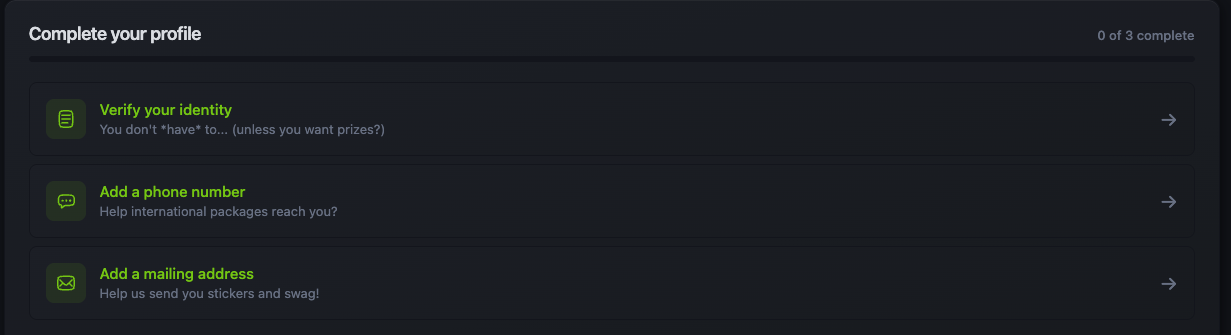
IMPORTANT: Use your own, real information for verification. This is required to participate in YSWSs.
Hack Club Auth Beállítási Útmutató
1. lépés: Fiók Létrehozása
- Látogass el az auth.hackclub.com oldalra
- Írd be az email címedet a beviteli mezőbe
Megjegyzés: Olyan email címet használj, amelyhez hozzáférsz, mivel emailben fogsz kapni egy hitelesítési kódot.
2. lépés: Személyes Adatok
- Töltsd ki a személyes adataidat pontosan és nyomj a Continue gombra
FONTOS: Használd a valódi adataidat, mivel ezekre szükség lesz az azonosításhoz.
3. lépés: Email Hitelesítés
- Nézd meg az emailjeidet a Hack Club által küldött hitelesítési kódért
- Illeszd be a kódot a weboldal beviteli mezőjébe és nyomj a Verify gombra
4. lépés: Csatlakozás a Slackhez
- Át leszel irányítva a Hack Club Slack oldalára
- Kattints az I Agree gombra a feltételek elfogadásához
Gratulálunk! Most már van Hack Club Auth fiókod és Slack profilod is.
5. lépés: Üdvözlő Üzenetek
- Kapsz egy közvetlen üzenetet Ralsei-től a Slacken
- Olvasd el az üzenetet és kattints a zöld okay! gombra
- Kattints a hack yeah! gombra a folytatáshoz
- Fel leszel szólítva az oldal újratöltésére
Üdvözlünk a közösségben! Most már hivatalosan is tagja vagy a Hack Clubnak.
6. lépés: Profil Befejezése
- Menj vissza az auth.hackclub.com oldalra
- Látnod kell három lépést az oldal tetején, amelyeket be kell fejezned
- Fejezd be mindhárom lépést a profilod hitelesítéséhez
FONTOS: Használd a saját, valódi adataidat a hitelesítéshez. Erre szükség van a YSWS-eken való részvételhez.